Setlists
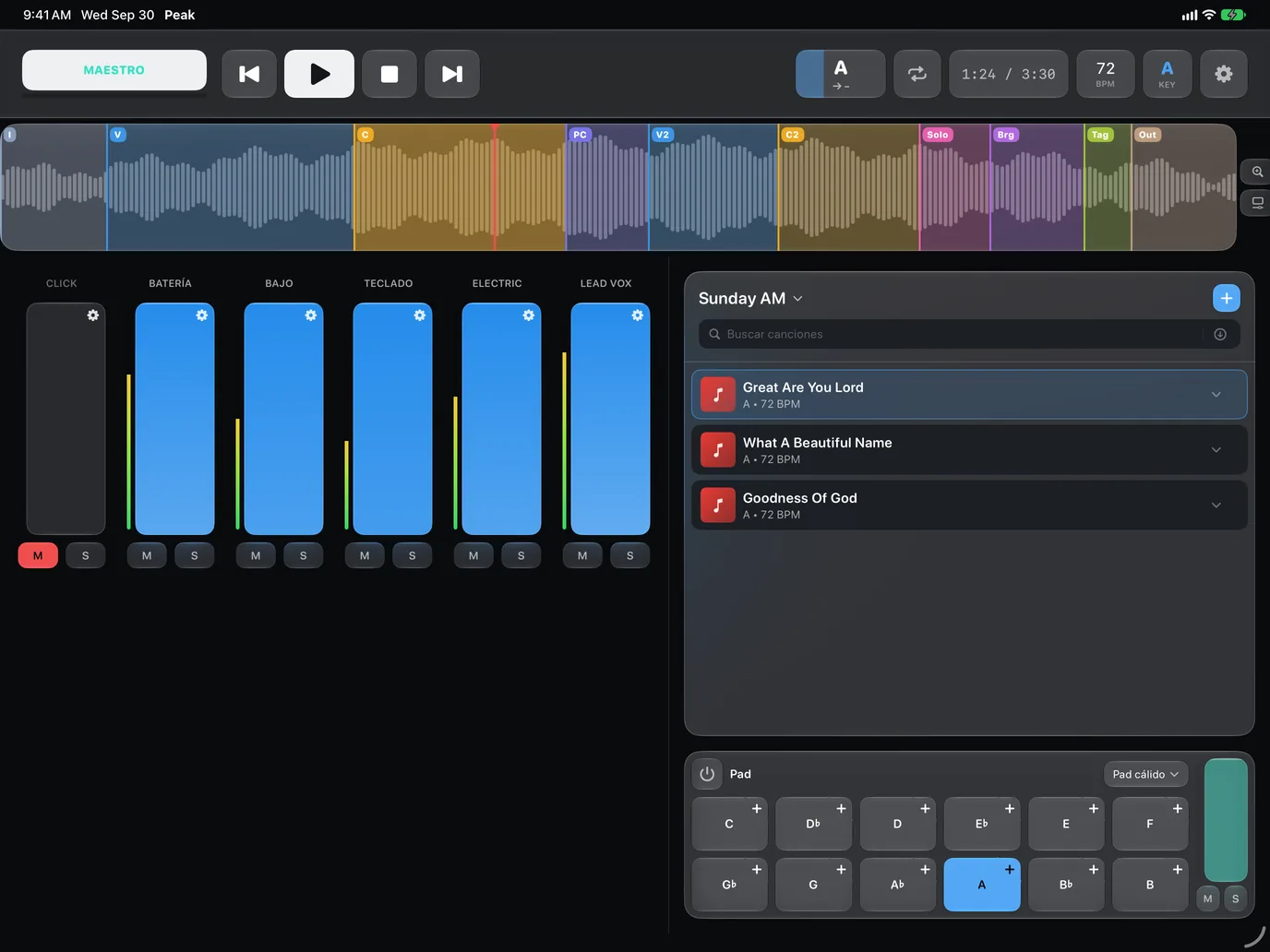
Build a list for every service or show, add songs and drag to reorder.
New · now on foldable iPhone too
PeakMultitrack plays your multitracks with a fader for every instrument, changes key and tempo live and jumps between sections with a smooth crossfade. On iPhone, iPad and Mac.
30 days free with everything unlocked · then a single purchase, no subscription
 Chorus → Bridge
♪A · 72 BPM
Crossfade 0.6 s
Chorus → Bridge
♪A · 72 BPM
Crossfade 0.6 s
Built for the stage
See the song big from the music stand, with the current section in color. If the leader calls the chorus again, tap it and Peak jumps at the end of the current section, with a crossfade so nobody hears the cut.
Mixer
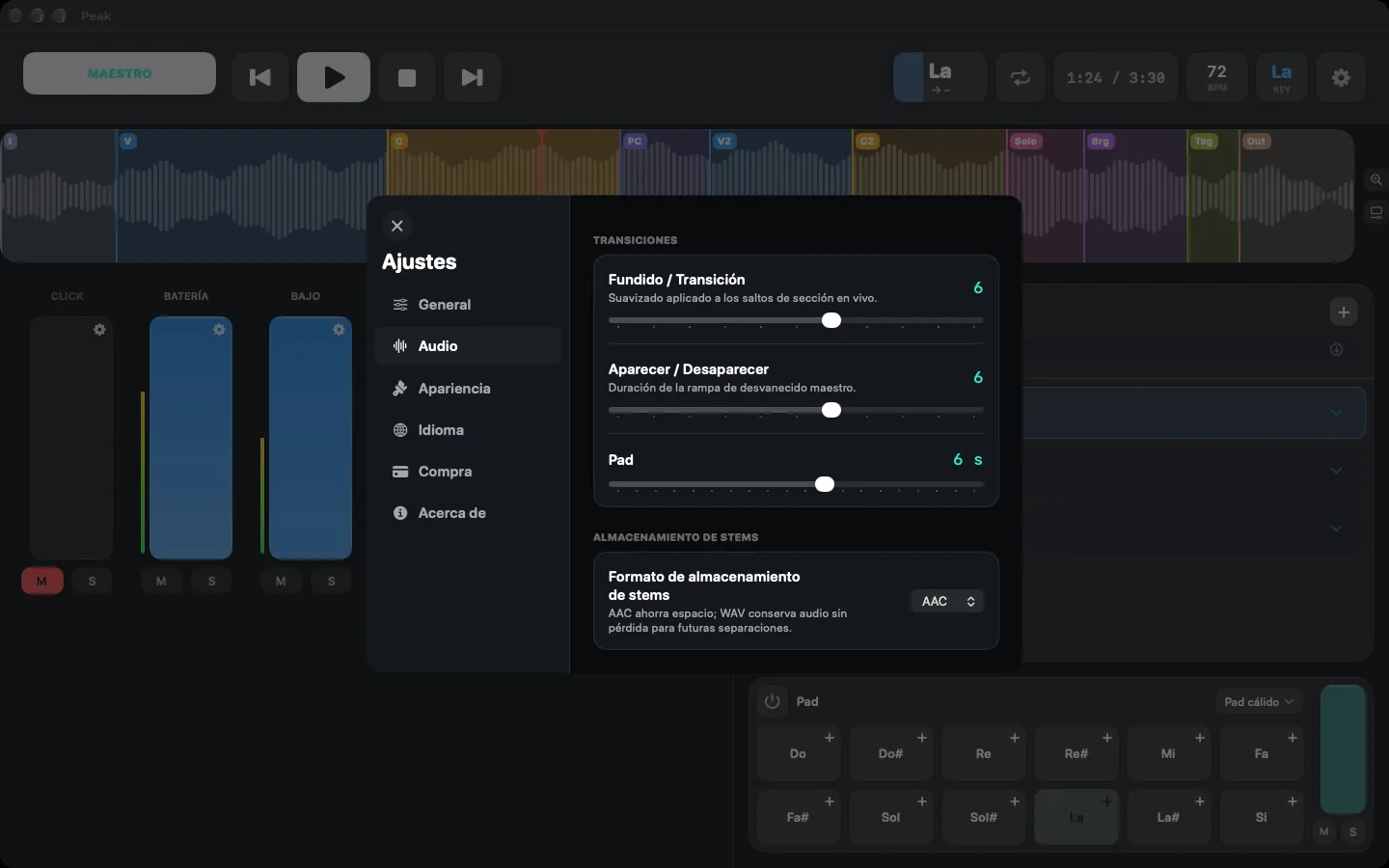
Every stem gets its own fader with mute, solo and a live meter. Set pan, color or name from the gear, and ride the whole mix with the MASTER fader.
Sections
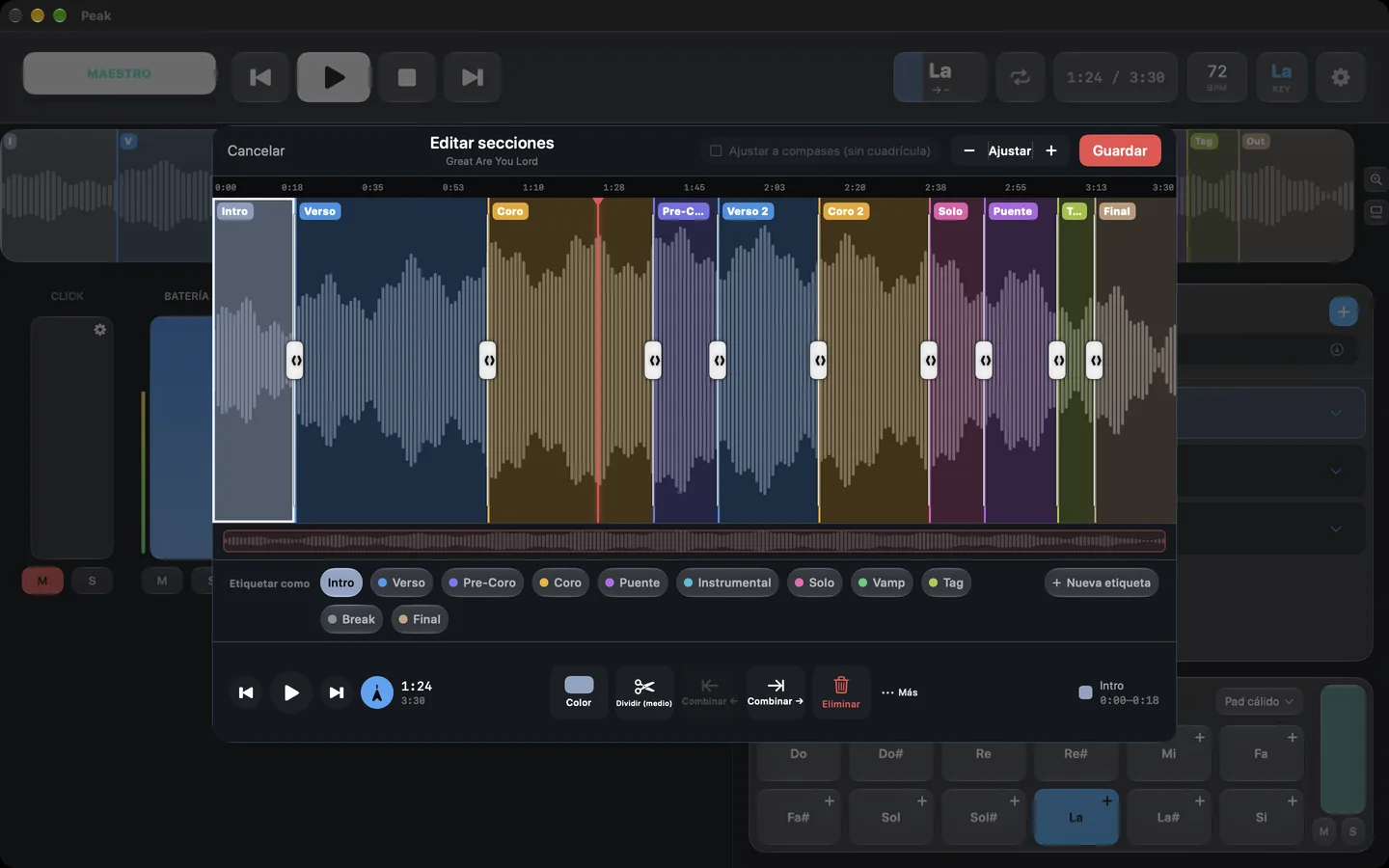
The waveform shows every section in its own color: intro, verse, chorus, bridge. Tap one to jump with a crossfade, loop a part, or edit them by hand: split, merge, rename and snap to bars.
Key and tempo
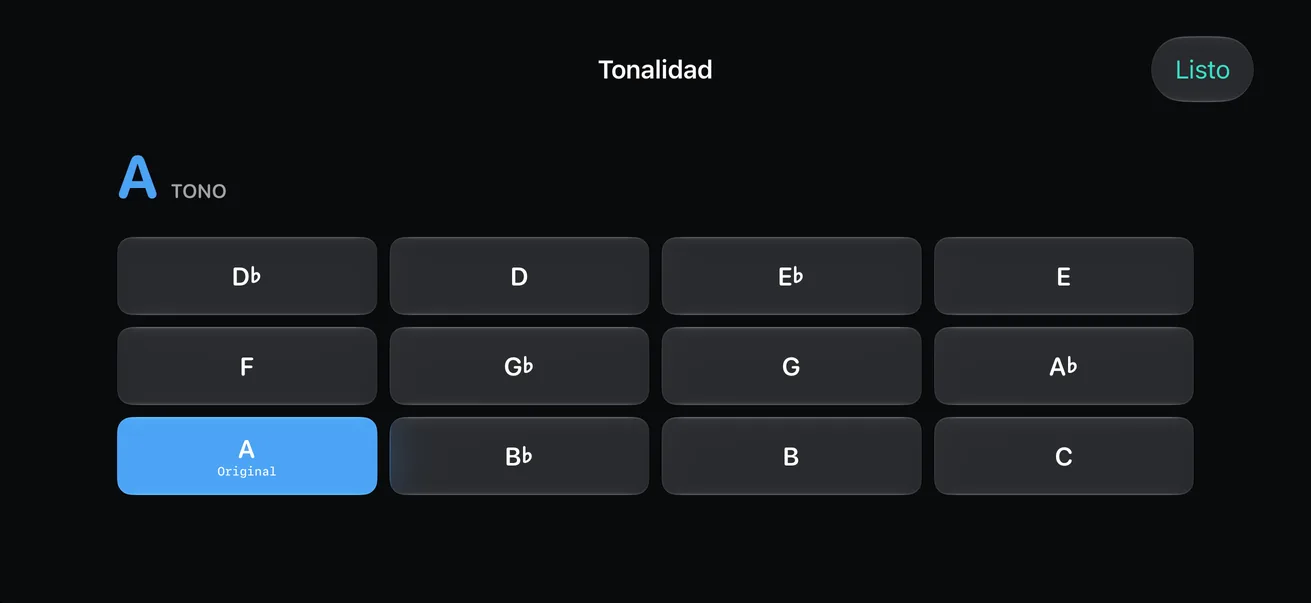
Tap the key you want and Peak works out the transpose, up to 12 semitones either way, without changing the speed. Set the BPM from 0.5× to 2×, or tap the tempo.
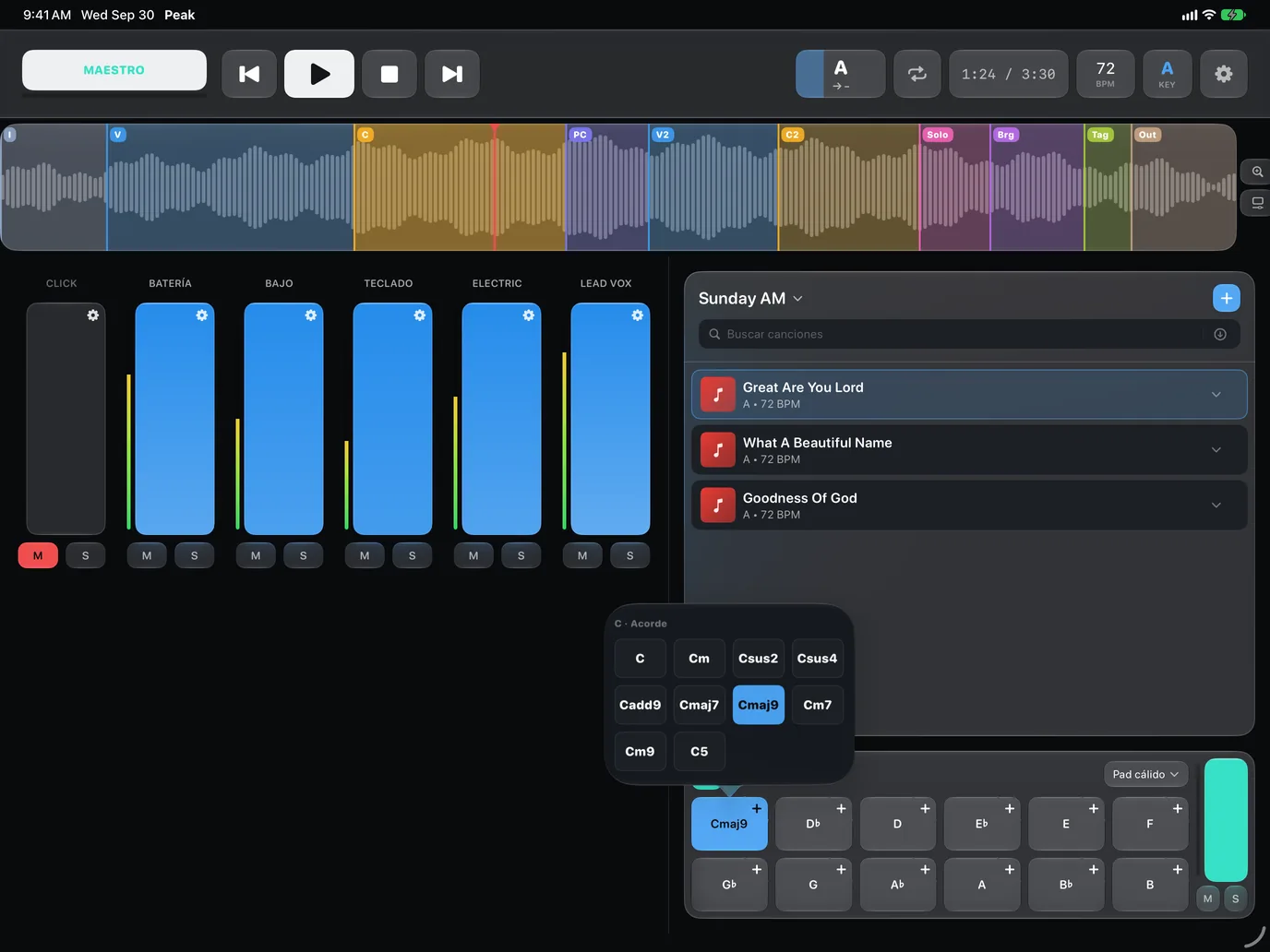
Pad
A sustained bed for transitions and quiet moments. Three sampled sounds (Orchestra, Strings and Warm Pad) that follow the song's key or the one you pick, with 10 chord types.
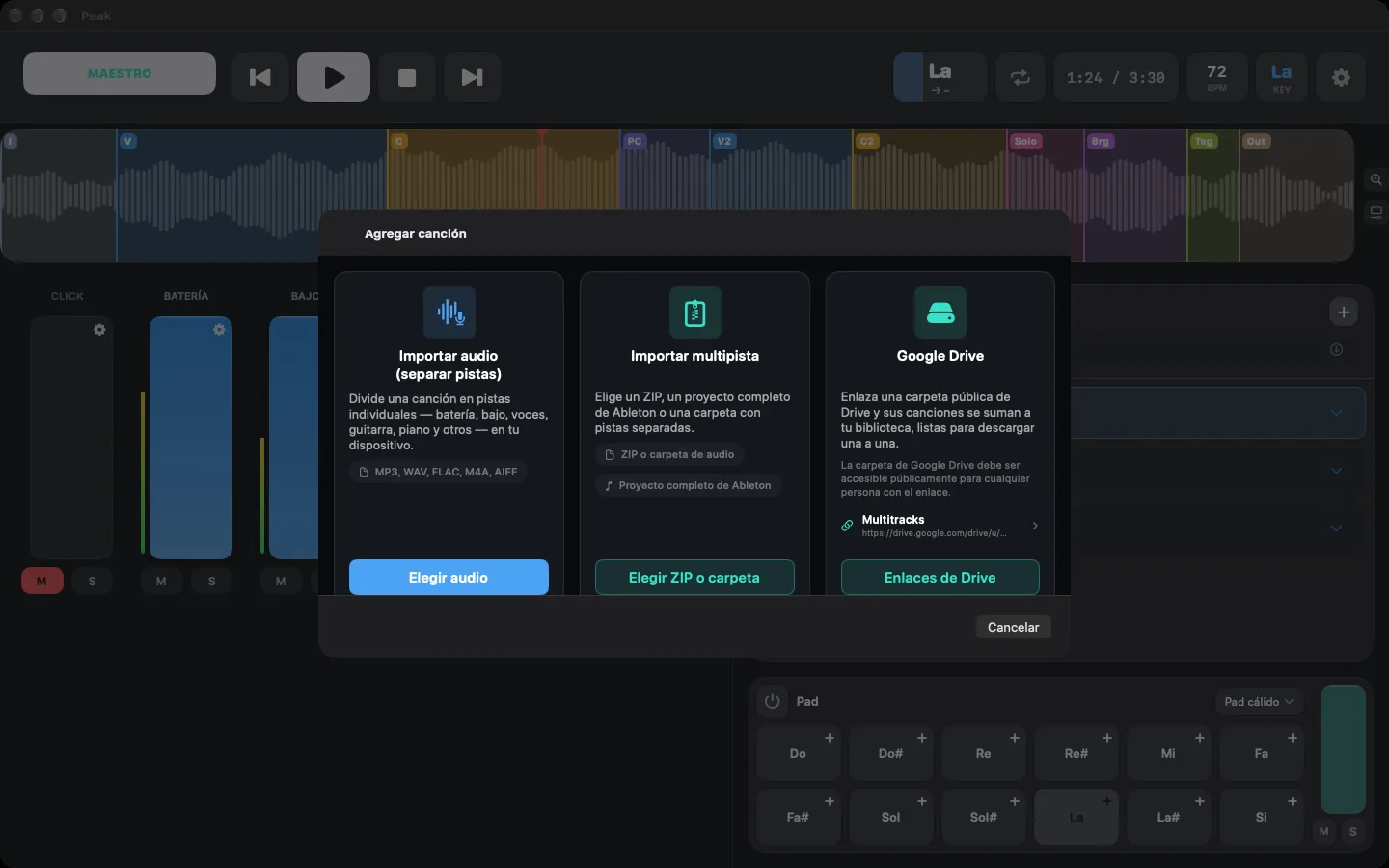
On-device AI
Pick an audio file and the AI splits it into drums, bass, vocals, guitar, piano and other, right on your iPhone, iPad or Mac. Your music never leaves the device.
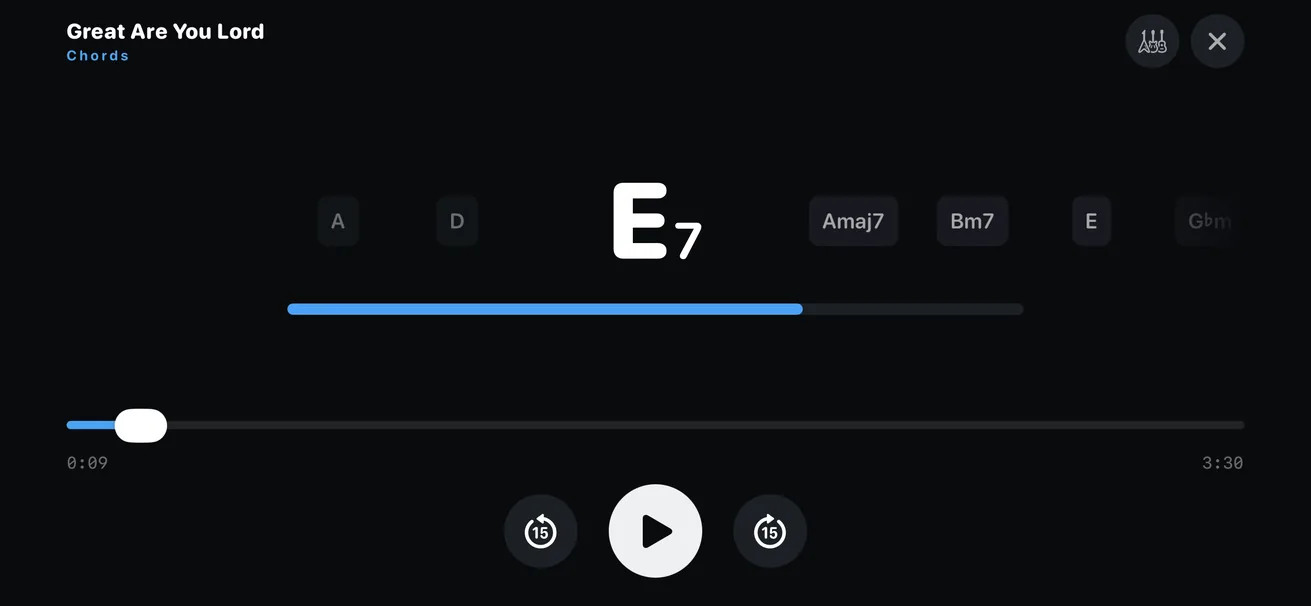
Chords
Peak detects the song's chords on your device and shows them in real time: the current one big, the next ones in a row. With guitar, ukulele and piano diagrams, in letters or Do-Re-Mi.
Foldable iPhone
Folded, Peak uses the compact player: transport, sections and mixer within reach. Open it and the same song becomes the full workspace, with the setlist and pad alongside. You never lose your place.
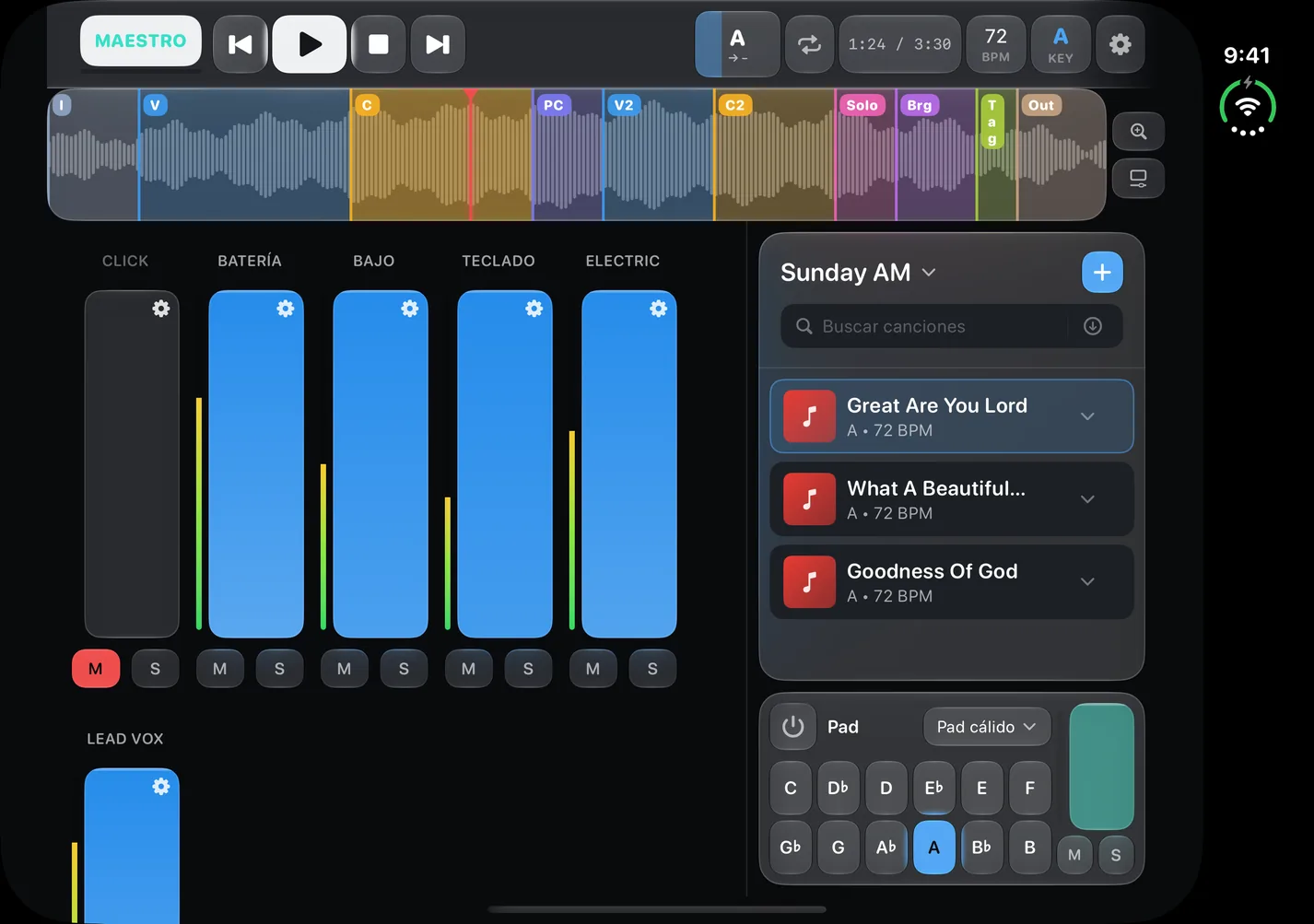
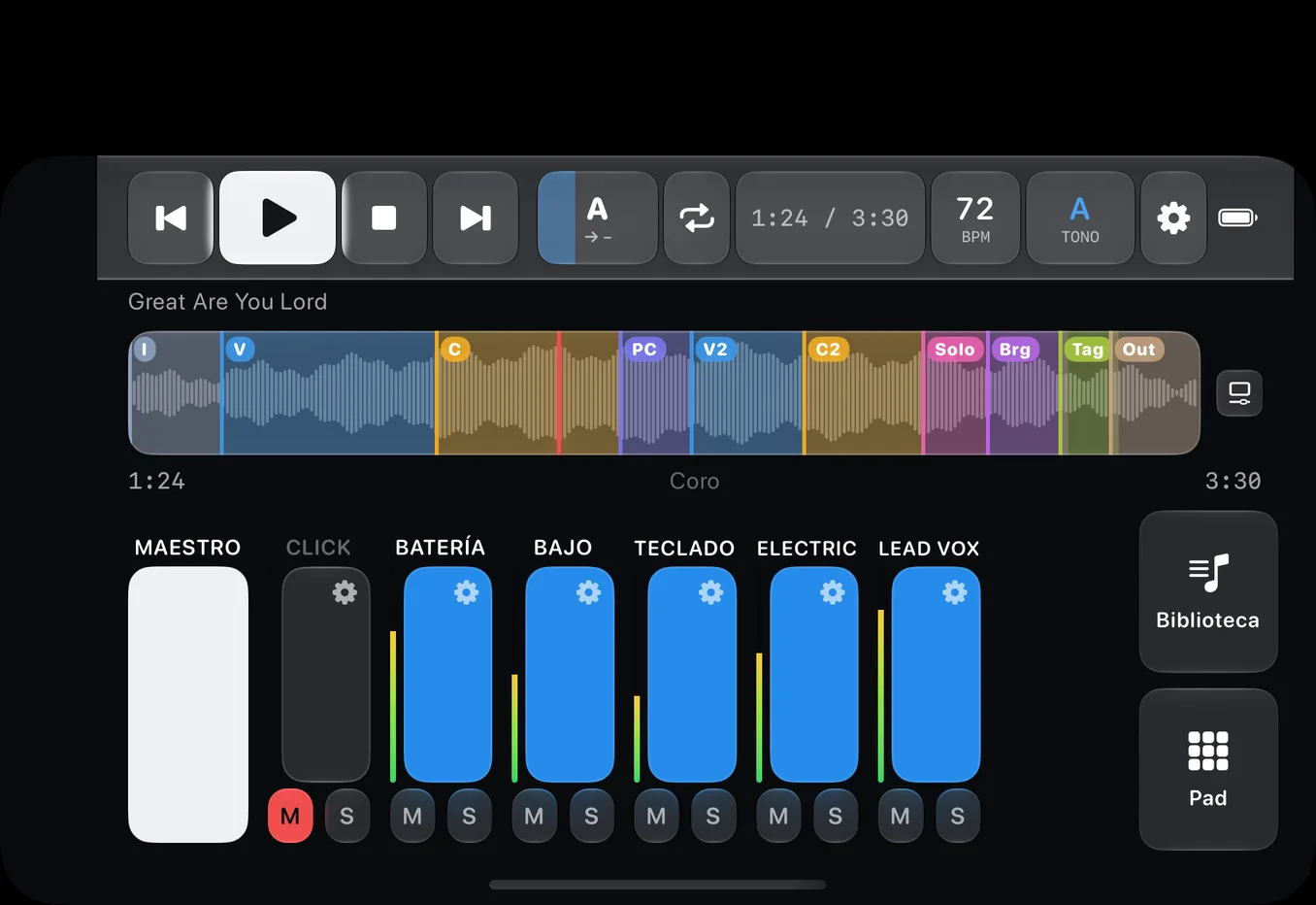
Screenshots taken in Xcode's foldable iPhone simulator.
One purchase, all your devices
Use it on the Mac to prepare and on iPad or iPhone on stage: one purchase unlocks Peak on every device with the same Apple ID. The layout fits the space you have: the full workspace on big screens and a compact player on iPhone.

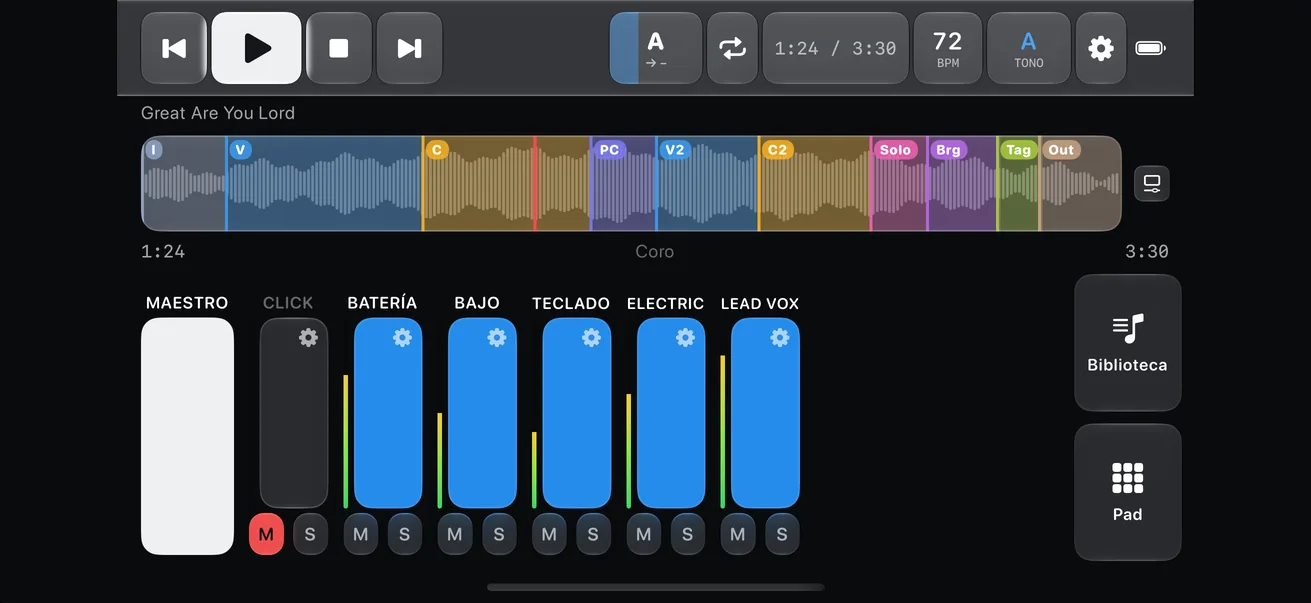
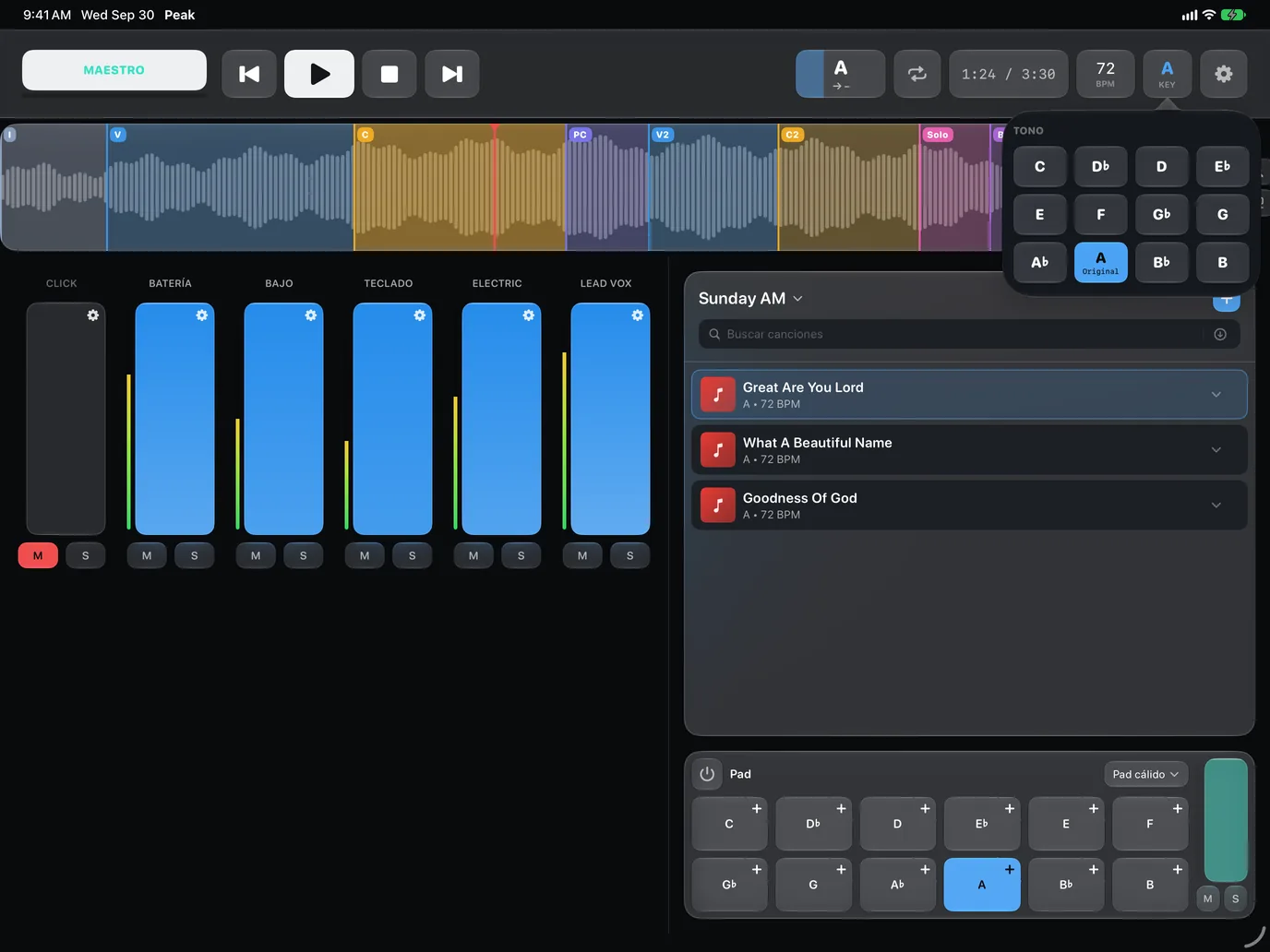
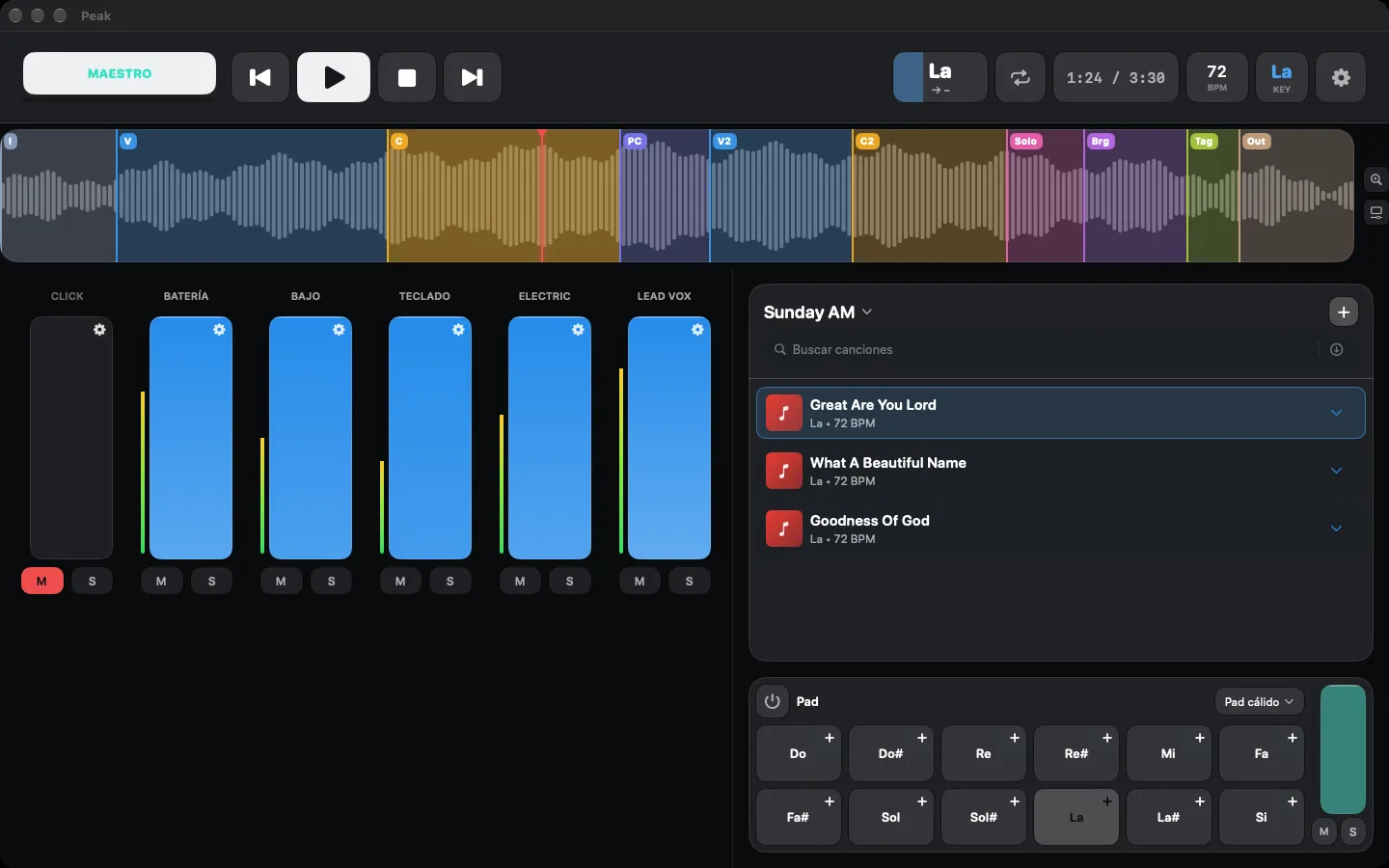
Real app screenshots with demo songs.
And much more
Build a list for every service or show, add songs and drag to reorder.
Paste a link to a public Drive folder and its songs show up in your library, ready to download. No sign-in.
Multitrack ZIP, a folder of stems or an Ableton project. WAV, AIFF, M4A, MP3, CAF and FLAC.
Built for the stage: your songs play with no internet.
No account, no sign-in, no analytics and no tracking.
English, Español, Português, Français, Deutsch, 日本語, 한국어, 中文 and more, switchable without a restart.
Dark for the stage, light for prep. Liquid Glass on iOS and macOS 26 or later.
Click and guide stems are recognized on import: colored red and panned left for your in-ears.
Pricing
No subscriptions, no renewals. One purchase unlocks Peak on every device with the same Apple ID.
30 days
$9.99USD · one-time
US App Store price; other countries see Apple's local equivalent. When the trial ends your songs stay on your device.
FAQ
A multitrack ZIP, a folder with one stem per instrument, or a whole Ableton project. Formats: WAV, AIFF, M4A, MP3, CAF and FLAC. PeakMultitrack doesn't sell music: it plays and mixes the stems you bring.
No. It runs on your device. The first time it downloads the model (about 118 MB); after that it works offline.
Automatic chord and section detection requires iOS 27, iPadOS 27 or macOS 27. On earlier versions the app detects an approximate key and tempo, and you can mark sections by hand.
You get 30 days free with everything unlocked. After that, Peak Unlimited is a single $9.99 USD purchase (or your country's equivalent), with no subscription.
Yes. Folded it uses the compact player; open, the full workspace. When you unfold it you stay on the same song.
No. There are no accounts or sign-in, and the app has no analytics or tracking. See the privacy policy for details.

Download it free and try everything for 30 days.
Want to try what's next? Join the TestFlight beta →* Automatic section and chord detection requires iOS 27, iPadOS 27 or macOS 27 or later. PeakMultitrack runs on iOS 17 and macOS 14 and later.